Sharing IPython / Jupyter Notebooks via WordPress

In order to share (a static version of) your IPython / Jupyter notebook on your WordPress site, follow three straightforward steps.

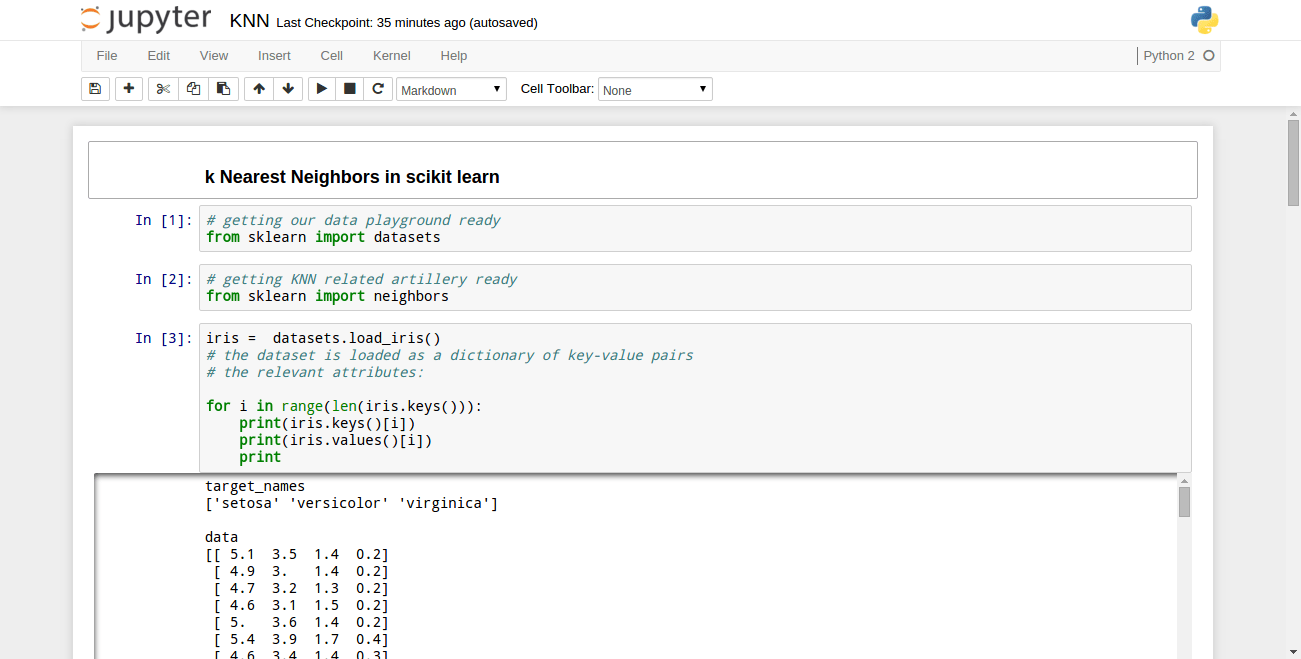
Step 1: Let’s say your Jupyter Notebook looks like this:
blog_item_20160718_01

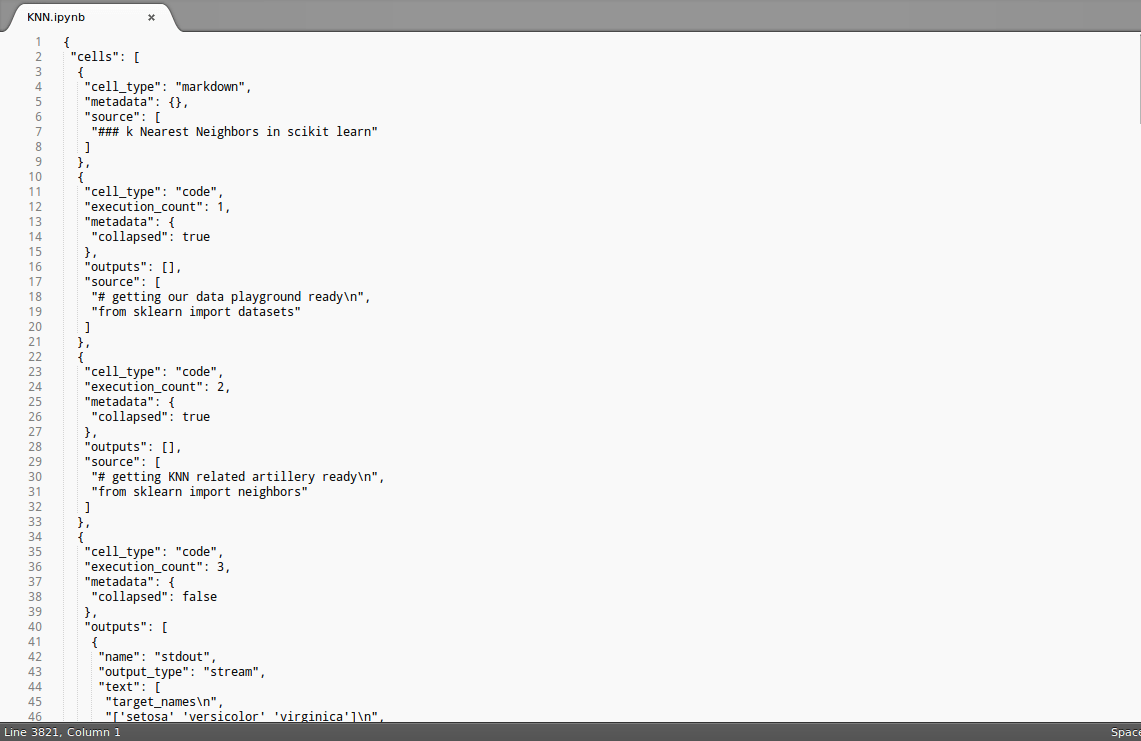
Open this notebook in a text editor and copy the content which may look like so:
blog_item_20160718_02

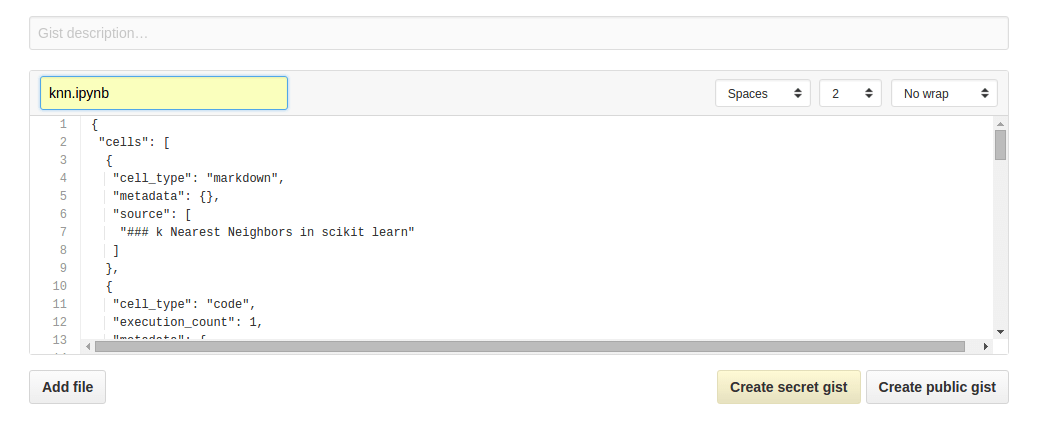
Step 2: Ctrl + A and Ctrl + C this content. Then Ctrl + V this to a GitHub Gist that you should create, like so:
blog_item_20160718_03

Step 3: Now simply Create public gist and embed the gist like you always embed gists on WordPress, viz., go to the HTML editor and add like so:
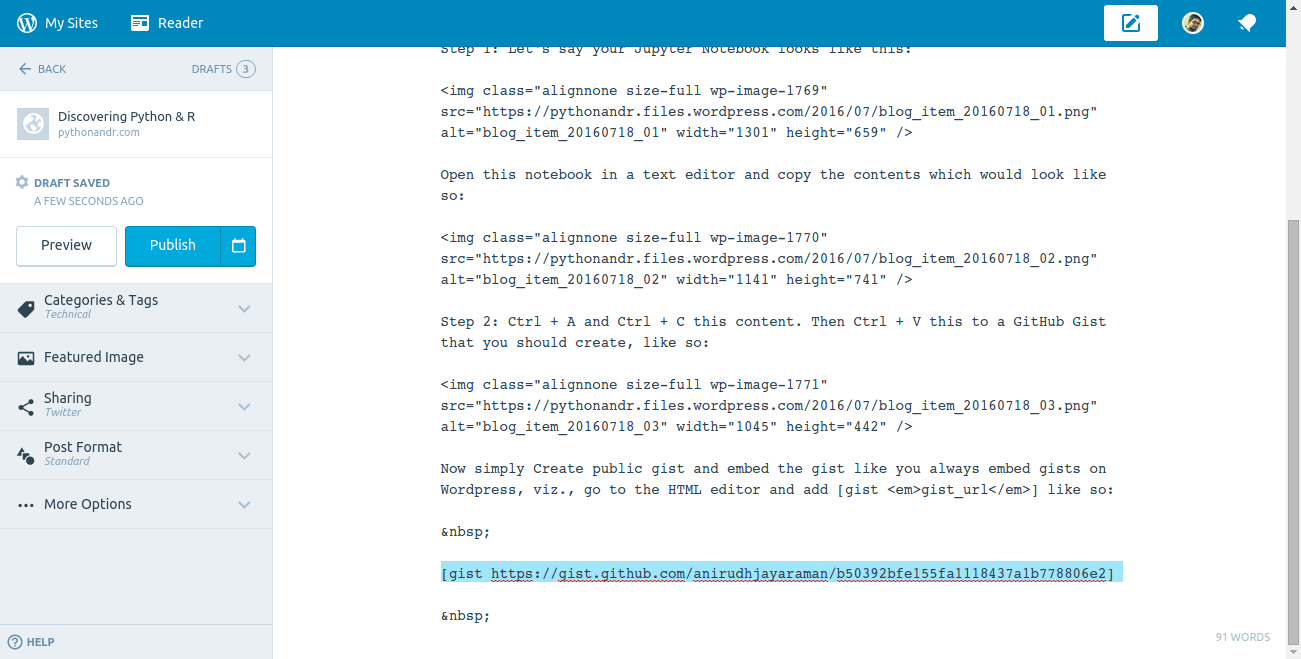
blog_item_20160718_04

I followed the exact steps that I’ve mentioned above to get the following result:

Loading
Sorry, something went wrong. Reload?
Sorry, we cannot display this file.
Sorry, this file is invalid so it cannot be displayed.
view raw knn.ipynb hosted with ❤ by GitHub


Comments

14 responses to “Sharing IPython / Jupyter Notebooks via WordPress”

  1. Susan Li Avatar

    Thanks for sharing. But I cannot make mine work. What embed code did you use? Is the one next to “Embed” button at gist.github?

    Thanks

    Liked by 1 person

  2. jstephenbrownlee Avatar

    Outdated. You now just put the link directly without the tag business. You MUST add .ipynb to your Gist name for this to work.

    Liked by 2 people

    1. ananypandey Avatar

      how exactly can u elaborate ?

      Like

  3. achallisds Avatar

    Check out my solution to this by using a WordPress plugin specifically for ipynb files from any host! Not just github.

    http://www.andrewchallis.co.uk/category/php/nbconvert-a-wordpress-plugin/

    I’ll make the plugin publicly free soon

    Like

  4. Don’t Memorise – Care Less Avatar

    […] Adding Jupyter to WordPress: here. […]

    Like

  5. […] [/code] And there’s a slightly more involved process for jupyter notebooks described here, which I’ll get around to […]

    Like

  6. […] Sharing IPython / Jupyter Notebooks via WordPress 쥬피터 노트북을 워드프레스에 올리는 방법 설명 페이지  준비물 GIST, Github GIST, Jupyter Notebook, 워드프레스, 쥬피터 노트북 […]

    Like

  7. […] I have actually implemented this on my blog. You can find the post here […]

    Like

  8. FinancialRadDeveloper Avatar
    FinancialRadDeveloper

    Thanks so much, this really helped me properly format my post!

    Link here if interested!

    https://financialraddeveloper.com/2019/09/17/google-music-takeout/

    Liked by 1 person

  9. Nicky Mekolle Avatar
    Nicky Mekolle

    Thanks very much. This was helpful

    Like

  10. […] I have actually implemented this on my blog. You can find the post here […]

    Like

  11. […] 我实际上已经在我的博客上实现了此功能。你可以在这里找到帖子 […]

    Like

  12. […] 실제로 이것을 내 블로그에 구현했습니다. 여기 에서 게시물을 찾을 수 […]

    Like

Leave a comment